Meeting Booking
The right room, booked in seconds
Meeting room booking for the whole office: a booking app for staff, an admin console for facilities and a tablet by every door. In sync with Outlook, Teams and Google Calendar.
- Find a free room that fits
- Door panels with check-in
- Outlook, Teams and Google Calendar
- Single sign-on with your Raptool Account
Véalo en acción
Three apps, one system
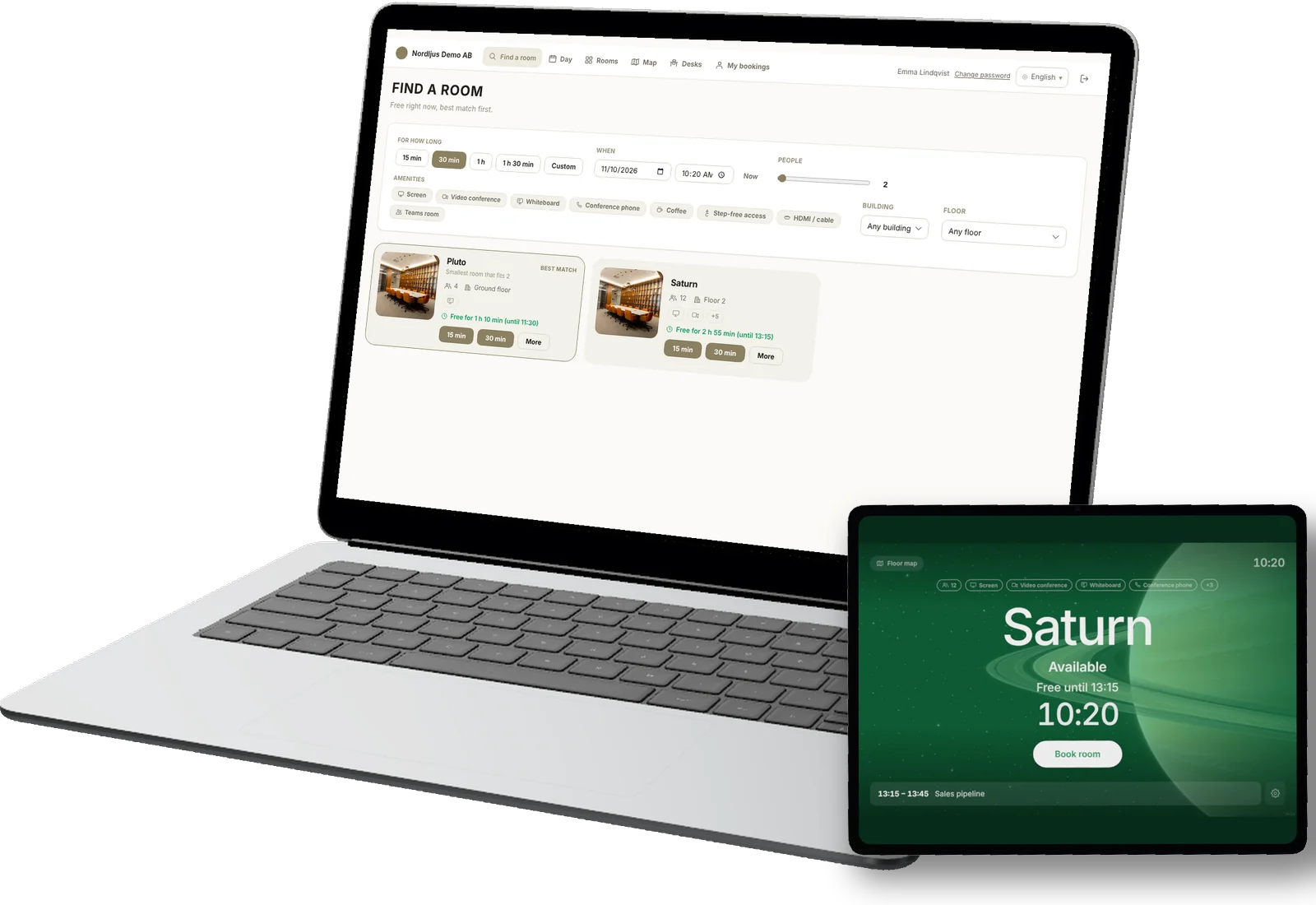
The booking app, the admin console and the door panel, as your team will use them. The companies and people are made up.
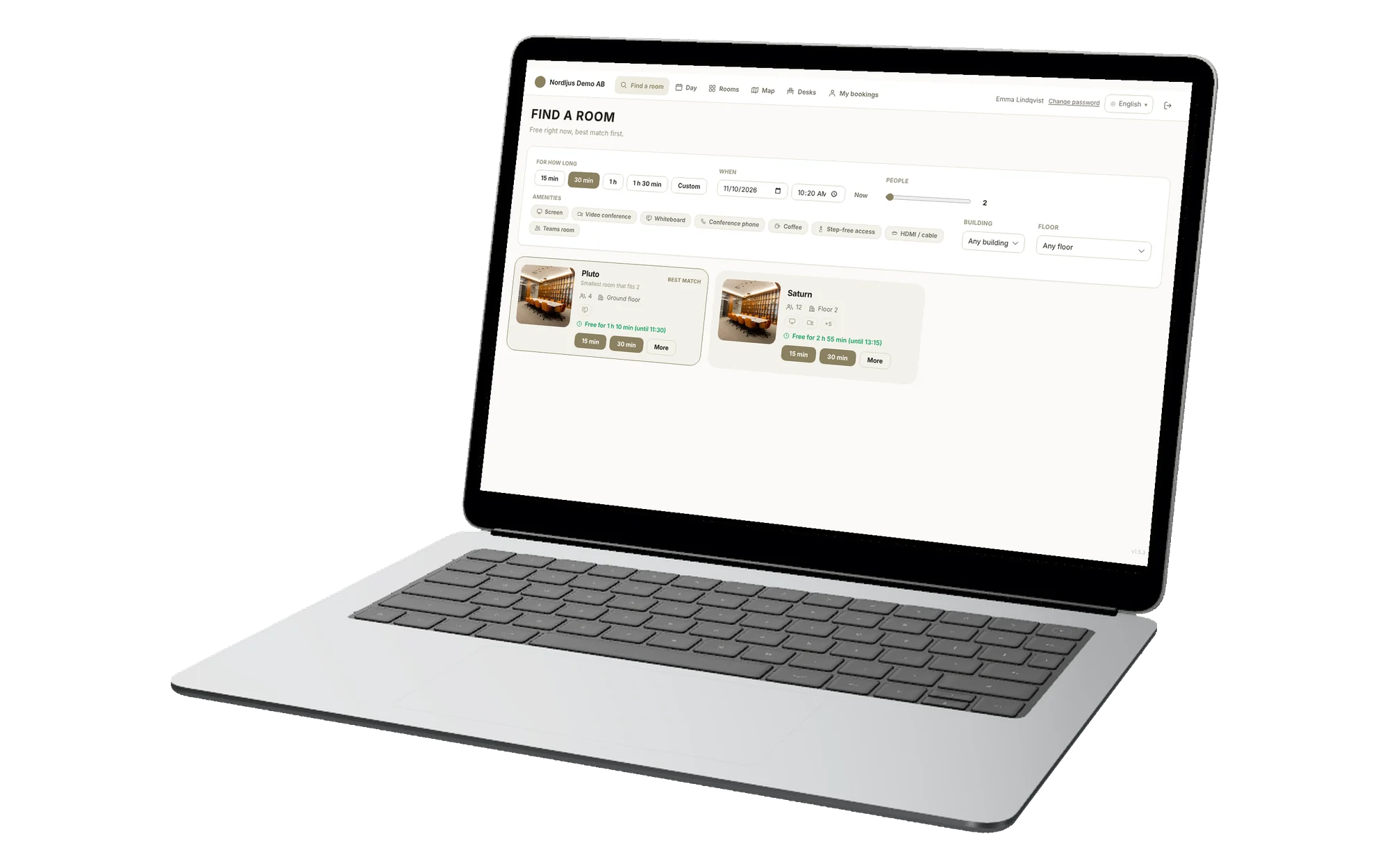
Find a room that fits
Pick a time and how many people. Meeting Booking shows the rooms that fit, best match first, and books one with a click.
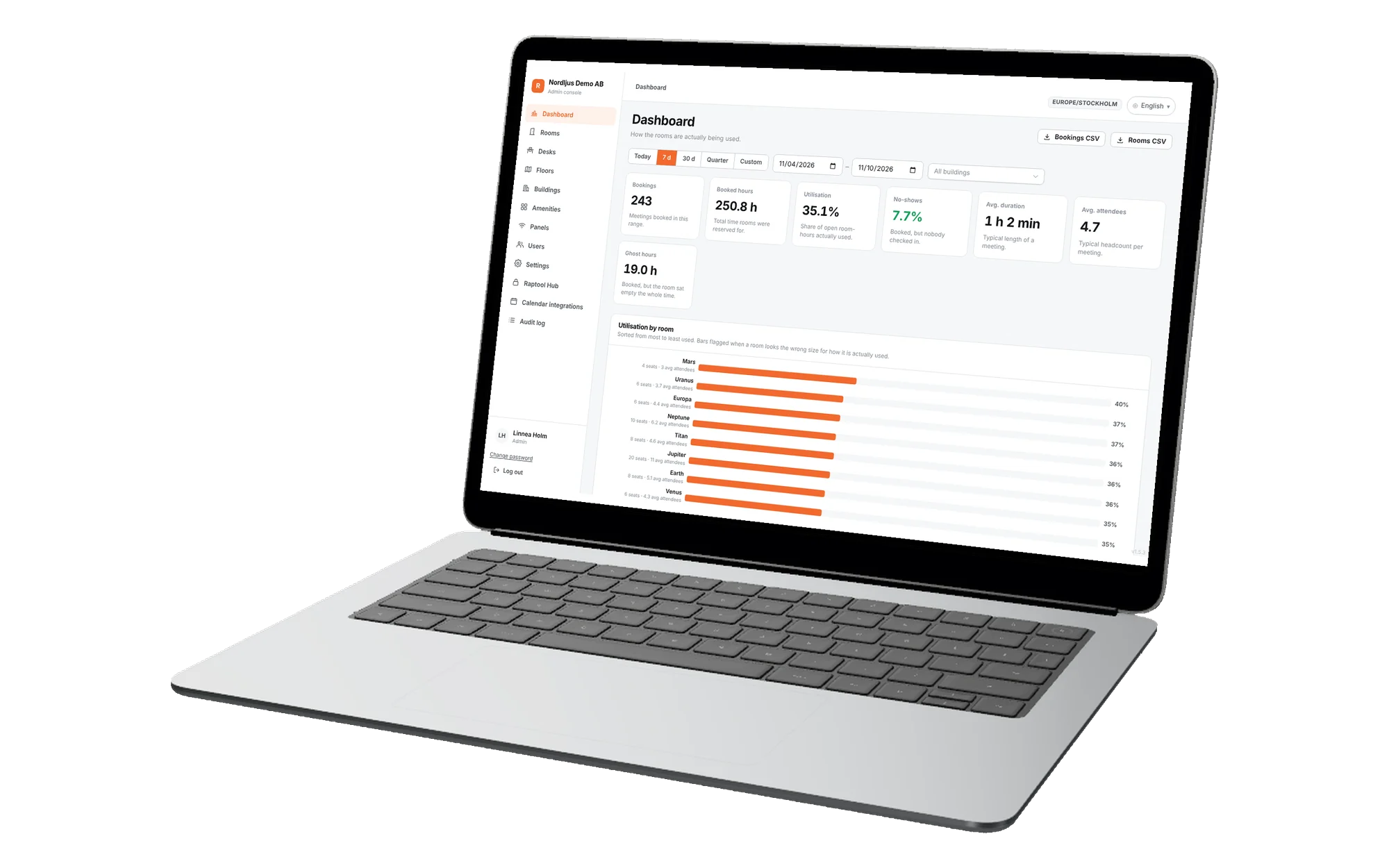
The admin console
Rooms, floors, people and settings in one place, plus the numbers: how much each room is used, no-shows and empty hours.
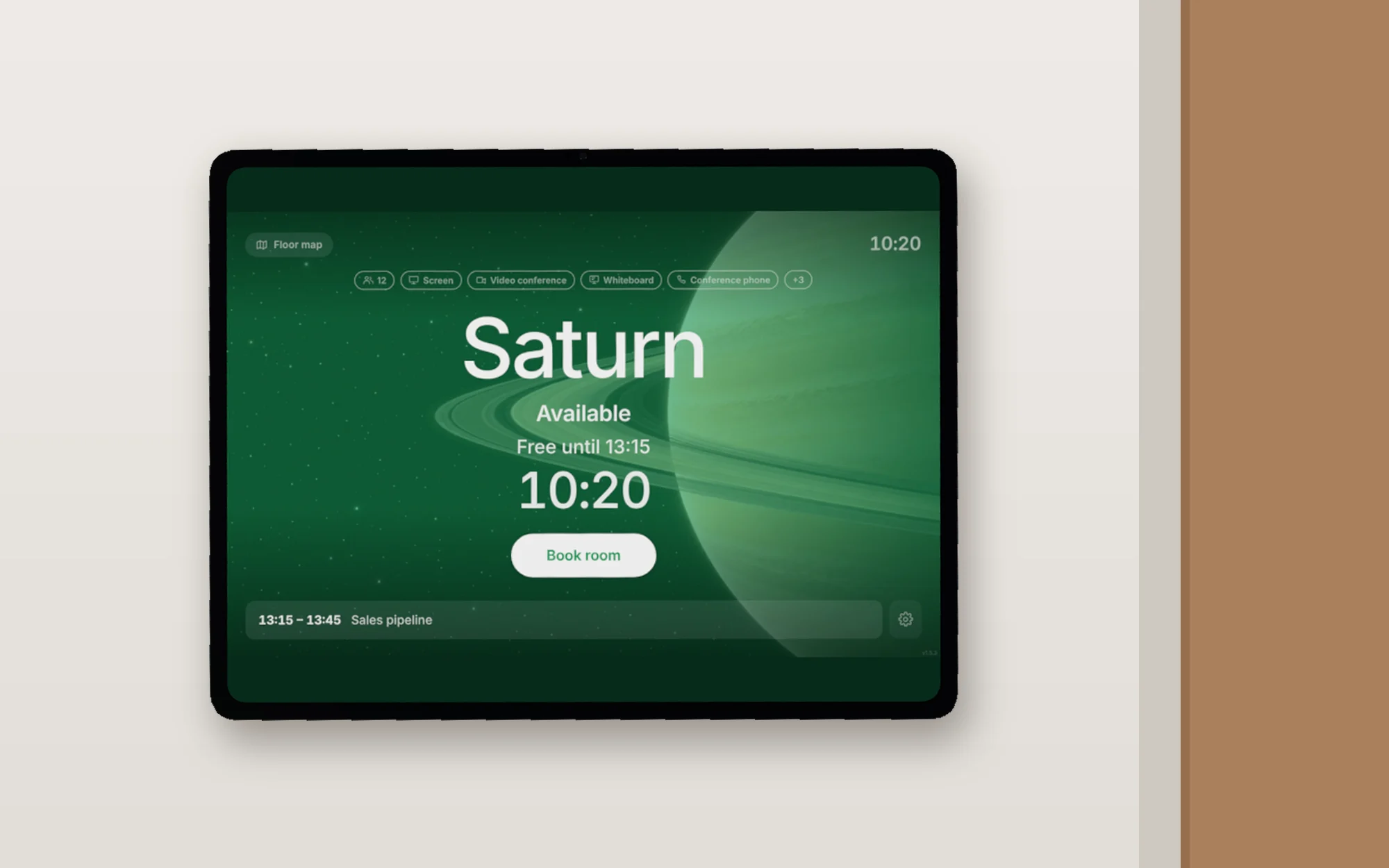
The door panel
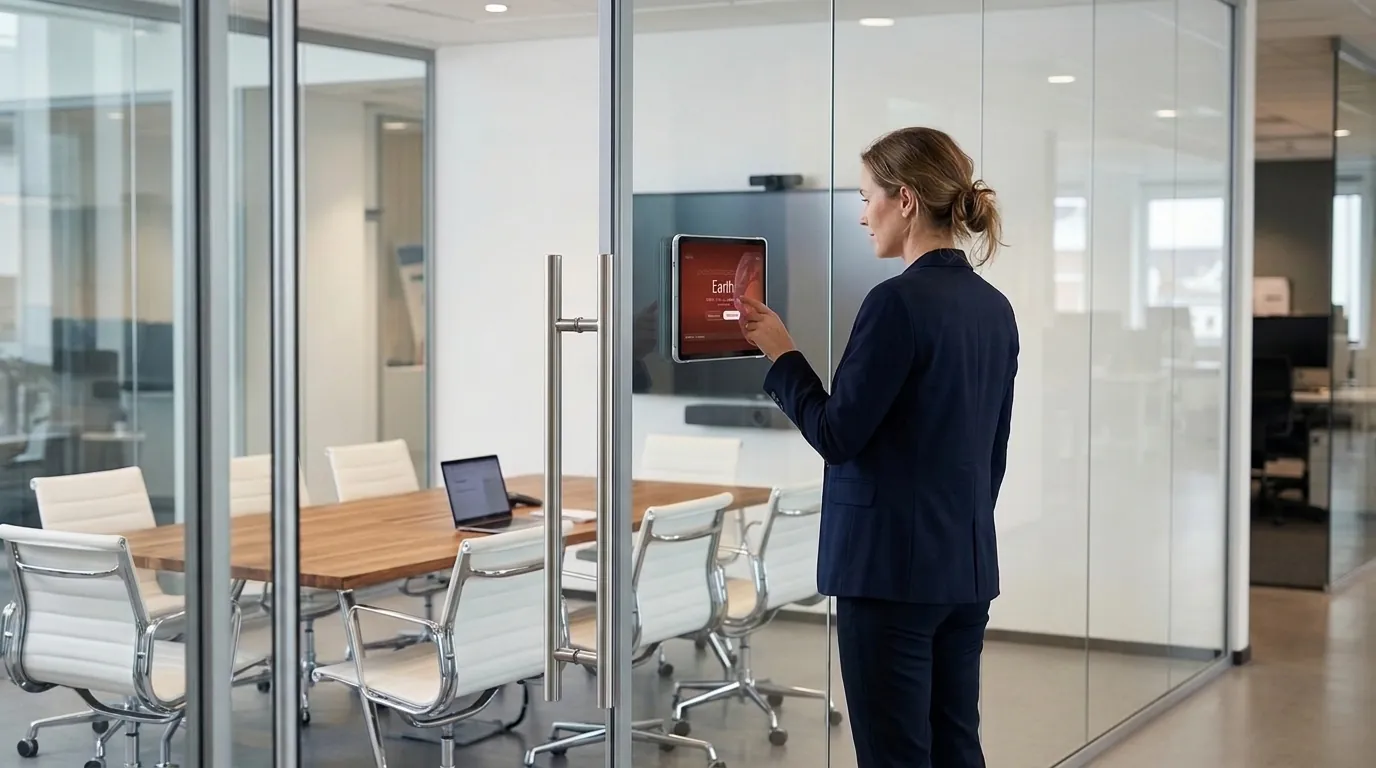
A tablet on the wall by each room. Green when free, red when in use, with Book now and Check in right on the screen.
Everything in one system
Rooms that are really used
Booking, the door and the calendar always agree, so a booked room is a used room.
- Available
- Waiting for check-in
- In use
- Closed
Room booking for everyone
Staff find a free room that fits and book it in a few taps, on a laptop or a phone.
- Best-match search by time, people and equipment
- Day view and floor map of the whole office
- Repeating meetings, My bookings, change or cancel
Admin console
Facilities set it up once and see how the rooms are really used.
- Buildings, floors, rooms and equipment
- Users, roles and opening hours
- Utilisation, no-shows and empty hours per room
Tablet door panel
A tablet by the door shows if the room is free, right now.
- Free or busy at a glance, in clear colours
- Book now, right at the door
- Check in, or the room frees itself
Calendar sync
Bookings show up where people already plan their day.
- Outlook and Exchange (Microsoft 365)
- Microsoft Teams app and Outlook add-in
- Google Calendar, both ways
Single sign-on
One Raptool Account for every Raptool app.
- Sign in once with your Raptool Account
- Roles and seats managed in Raptool Hub
- Opens signed in from the Raptool Client
A database per customer
Your data is kept apart from every other company.
- Your own database, never shared
- Download a data dump at any time
- Hosted in the Raptool cloud
Cómo funciona
Up and running in a day
Set it up once, then it runs itself.
- 1Add your rooms
Buildings, floors and rooms with seats and equipment, in the admin console or with the import wizard.
- 2Connect calendars
Link Microsoft 365 or Google Workspace once, and every room calendar stays in sync.
- 3Hang a tablet by each door
Pair the tablet with a short code and it shows that room from then on.
- 4Book and check in
People book from the web app, Outlook, Teams or the door, and check in when they arrive.
Pricing
Simple monthly plans
Every plan has the booking app, the admin console, door panels and calendar sync.
Contact sales
Tell us how many rooms and door panels you have, and our sales team sends you a price.
Contact salesPrices in EUR per month, excluding VAT. Try every plan free for 30 days, no credit card needed.
Preguntas frecuentes
Common questions
Quick answers about Raptool Meeting Booking.
What is Raptool Meeting Booking?
A complete meeting room booking system: a booking web app for everyone in the company, an admin console for facilities, and a tablet door panel by each room. It finds a free room that fits, books it, and shows the room status at the door.
Does it work with Outlook, Exchange, Teams and Google Calendar?
Yes. Room bookings sync both ways with Outlook and Exchange in Microsoft 365, and with Google Calendar. People can also book from an Outlook add-in and from the Raptool Meeting Booking app in Microsoft Teams.
What does the door panel show?
Whether the room is free or busy right now, the current and next meetings, and buttons to book the room on the spot or check in. One colour language: green available, yellow waiting for check-in, red in use, graphite closed.
What happens when nobody shows up?
A meeting that nobody checks in to frees the room after a short wait, so others can use it. The admin console counts these no-shows and the hours rooms stood empty, per room.
How do people sign in?
With their Raptool Account: one sign-in for every Raptool app. Admins invite people and give them roles, and Raptool Hub manages the seats.
Is our data kept apart from other customers?
Yes. Every customer gets its own database. Your bookings, rooms and people are never stored together with another company's data, and an admin can download a data dump at any time.
Can it also book desks, catering and visitors?
Yes, as optional modules: desk booking on a floor map with QR check-in, catering and service orders with a meeting, and visitor pre-registration with Raptool Visitor Management.
What do I need to get started?
A web browser for booking and admin, and a tablet with a browser by each room for the door panel. It runs in the Raptool cloud, so there is nothing to install on your servers.
Every room, every door
Want to see it with your own rooms?
Se lo mostramos paso a paso, o puede probarlo gratis durante 30 días.