Support
Exit an app
Every Raptool app has a quick menu. Use it to leave the app and go back to your app list.
Android, iPhone and iPad
Phones, tablets and handhelds
Open the quick menu
Swipe down with two fingers, or hold a top corner of the screen for 1 second.
Tap Log out of app
The quick menu shows two buttons: i (information about the app, versions and device) and Log out of app. Log out of app takes you back to your app list.
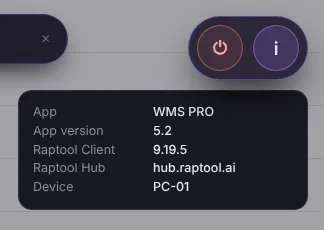
The quick menu: Log out of app and i
Windows PC
Open the quick menu
Right-click a top corner of the window, or press Ctrl+Shift+I.
Click Log out of app
You are back in your app list.
Sign out or switch user
Sign out
Tap your name (top right) and then Sign out. Or go to Settings → Account → Sign out.
Next person signs in
The next person signs in with their own e-mail and password.
Device set up with a QR code
It keeps its company. To undo that: Settings → Account → Remove this device.